Healthcare catalog template with a clean clinical look and order form
Seven minimal pages in clinical white and surgical teal, from cover to wholesale order form, with a photo option for the cover, divider and back page. For medical supply and healthcare sellers who need a clear trade catalog.
Free plan available — all templates are included on every plan. Already have an account? Open it in Templates.



All 7 pages, in two versions
Cover, welcome letter, contents, how-to-order terms, a section divider, a wholesale order form and a back cover. Your product pages are added between them in the same fonts and colors.





About the Medical Supplies template
This healthcare catalog template keeps things calm and readable: Lexend Deca headlines, Inter and Source Sans Pro text, surgical teal and deep blue-gray ink on pure white, with a minimal layout and generous margins. The set covers seven pages: cover, welcome letter, contents, how to order, a section divider, a wholesale order form and a back page. For a warmer feel, the photo version adds a pharmacy-stock collage to the cover, a band of photos to the divider and a full-bleed photo of shipping boxes to the back page.
Sample contents run from diagnostics and wound care to infection control, disposables and PPE, and mobility and rehab. Import products from your store or a CSV and the editor's grids lay them out between those pages, where sizes can appear as variant tables and pack quantities in the description. Recolor with 12 palettes, print a PDF for clinics, or share an online catalog that collects orders.
Best for
- Medical supply wholesalers selling to clinics, pharmacies and care homes
- Home health and mobility aid suppliers with a trade price list
- Healthcare distributors that want a calm, minimal catalog design
- Diagnostic and wound care product lines presented to new accounts
- Sales teams leaving a printed order form after clinic visits
Pages worth a closer look
Minimal white cover in navy and teal
MEDICAL in deep navy and SUPPLIES in teal, set in clean Lexend Deca with the 2026 edition line and contact details on white, plus a short navy rule and a small navy square. It is plain enough for any healthcare brand and quick to recolor with your own palette.
Contents from diagnostics to rehab
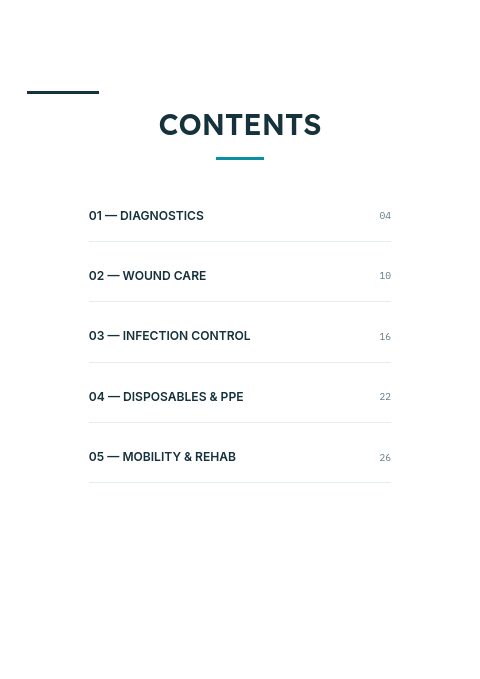
Five categories with page numbers: diagnostics, wound care, infection control, disposables and PPE, and mobility and rehab. The list doubles as a map for clinic buyers who reorder by department.
Order form for clinic accounts
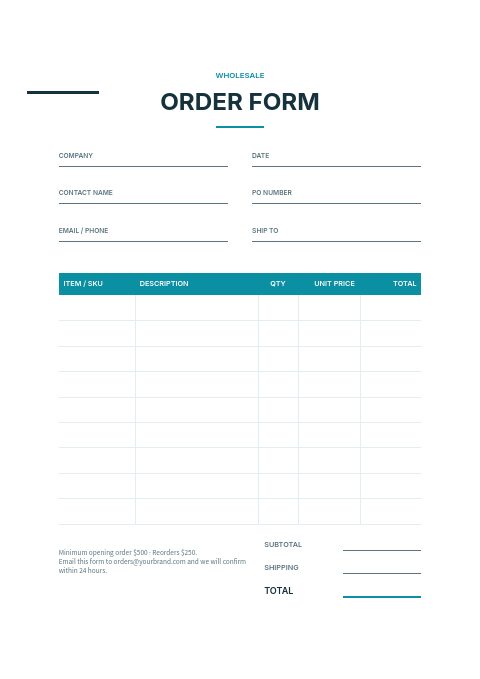
Clinics can print this page, list items by SKU with quantities and unit prices, and add their PO number and delivery address. Total, subtotal and shipping lines make it ready to email back to your order desk.
Plain-language ordering terms
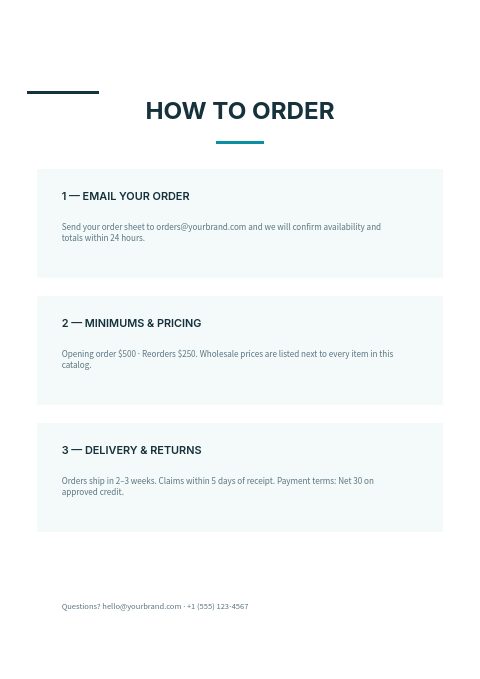
Three short blocks cover sending an order, minimums and pricing, and delivery and returns. Practice managers often compare suppliers on these terms, so having them in writing makes the decision easier.
How to build a healthcare catalog clinics reorder from
Organize by department, not by brand
Clinic staff look for what they need in the exam room, the treatment room or the supply closet. Sections by use, such as diagnostics, wound care and infection control, work better for them than sections by manufacturer.
Use variant tables for sizes
Gloves, bandages, catheters and supports come in many sizes. A variant table on one product card, rather than a separate card for every size, keeps the catalog shorter and stops buyers missing the size they need.
Flag latex-free and single-use items
Allergy and infection-control policies make latex-free, powder-free and single-use details essential. Put them on the card or as short tags, in the same words everywhere, so buyers can scan a page and spot them quickly.
Put a reorder page near the front
Clinics tend to reorder the same core items every month. A short page of standing-order essentials near the front, with SKUs and pack sizes, turns a long catalog into a quick reorder for a busy practice manager.
From product list to finished catalog
Start with this set
Open Medical Supplies in EasyCatalog, in the clean or the photo version, and recolor it with one of 12 palettes if you like.
Add your products
Import from Shopify in one click, or upload a CSV, connect WooCommerce or a product feed. Your products fill the product pages automatically.
Download or share
Export a print-ready PDF (up to 300 DPI, CMYK and bleed for print shops) or share an online flipbook with a built-in order form.
Questions about this template
Is this template suitable for a pharmacy or home health store?
Yes. The neutral clinical design works for pharmacies, home health and mobility stores as well as distributors. Keep the order form for business customers, or remove it and share a retail flipbook that checks out at your Shopify store.
Can I write the catalog in a language other than English?
Yes. The sample text is in English, but every word is editable, so you can write the whole catalog in your own language. The EasyCatalog site and Help Center are available in 9 languages, and catalog prices can use any of 28 currencies.
How many products should a healthcare catalog show per page?
Consumables with short specs fit a 3 × 3 grid. Equipment such as mobility aids or monitors needs room for features, so a 2 × 2 grid or a one-column line sheet works better. You can change the layout for one page or the whole catalog without touching the design.
What do clinics want to know before opening a supplier account?
Ordering methods, minimum order, delivery times and freight thresholds, payment terms, returns policy for unopened stock, and a named contact. Putting these on one terms page answers the first call before it happens and makes approval easier for a practice manager.


Start your Medical Supplies catalog
Pick this template, add your products and download a print-ready PDF or share an online flipbook. Free plan available, no card needed.