Plumbing supply order form with a cobalt-blue trade catalog frame
Pale blue-white pages with cobalt and navy type for a plumbing supplies catalog: cover, welcome, contents, how-to-order terms, divider, order form and back page, with a photo version of the cover, divider and back.
Free plan available — all templates are included on every plan. Already have an account? Open it in Templates.
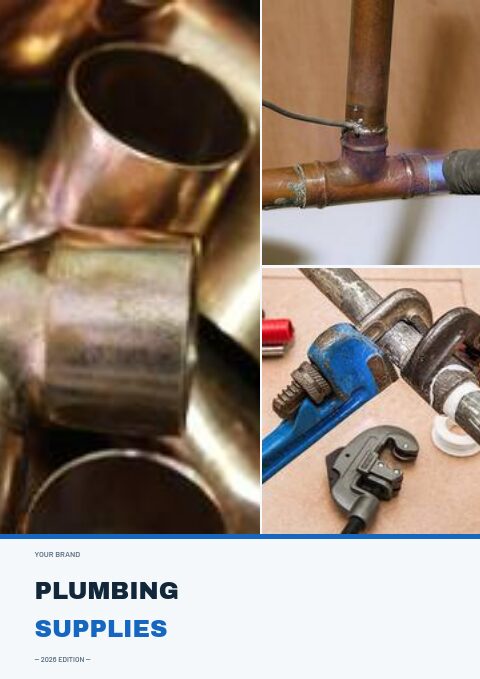


All 7 pages, in two versions
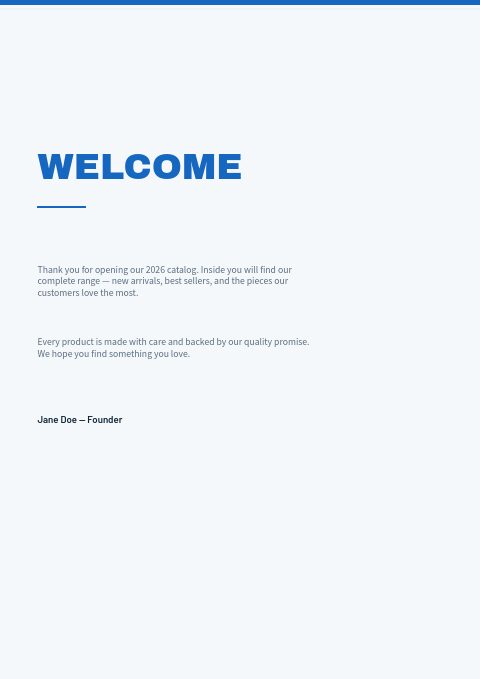
Cover, welcome letter, contents, how-to-order terms, a section divider, a wholesale order form and a back cover. Your product pages are added between them in the same fonts and colors.





About the Plumbing Supplies template
The plumbing supply order form comes in a crisp water-blue set. Cobalt rules cap the pages, Archivo Black sets PLUMBING in deep navy over SUPPLIES in cobalt, and Barlow and Source Sans Pro handle headings and text on a pale blue-white page. In the photo-collage version, the cover, divider and back page carry photos of copper fittings, a torch on a copper tee and pipe wrenches.
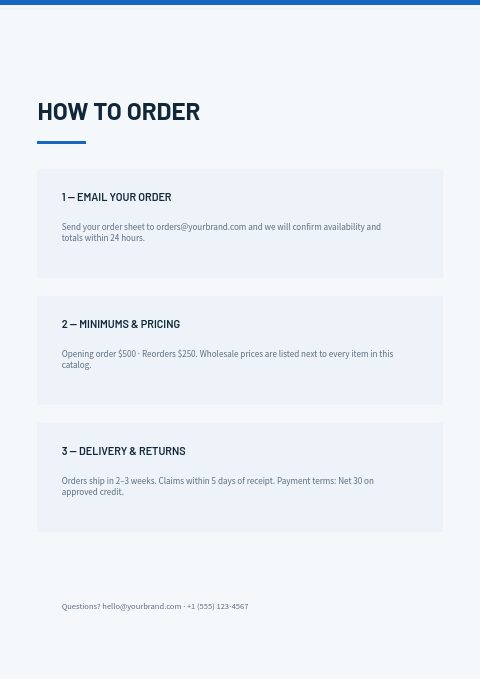
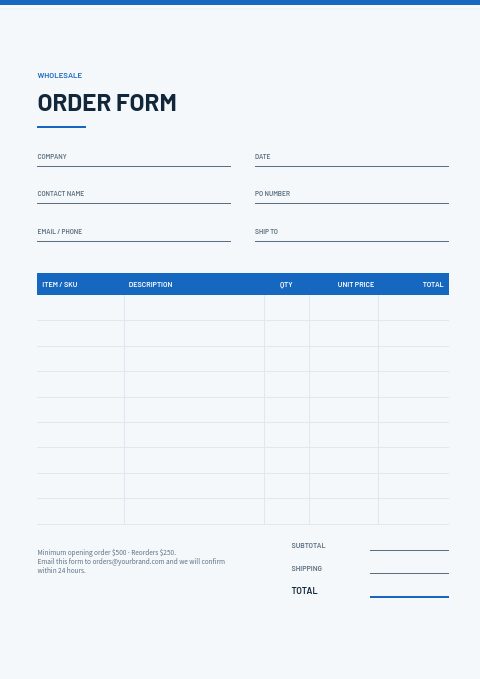
Behind the cover, the set does the paperwork. Contents lists Pipes & Fittings, Valves & Controls, Water Heaters, Drainage & Waste and Tools & Sealants; the terms page covers email orders, minimums, lead times and Net 30; and the cobalt order form asks for company, PO number and ship-to before the line items. Import products from Shopify or a feed, show sizes in variant tables, then print the catalog or send a wholesale flipbook.
Best for
- Plumbing wholesalers taking installer orders by email and at the counter
- Water heater and drainage suppliers that need a simple trade catalog
- Plumbing stores issuing a yearly price book to contractors
- Merchants matching the catalog to their van livery and store colors
Pages worth a closer look
Cobalt order form
A cobalt header row tops the line-item table, with contact, PO and ship-to fields above it. Installers can fill in the printed sheet in the van, while office staff order through the online form in the flipbook.
Contents for five plumbing ranges
Pipes & Fittings, Valves & Controls, Water Heaters, Drainage & Waste and Tools & Sealants, each with a page number on a clean ruled list. Rename them for your own ranges, for example splitting heating from plumbing, and update the page numbers.
Pipes & Fittings divider
A large pale 01, the collection number and Pipes & Fittings in heavy type, with a short introduction underneath. In the photo version, the top of the page shows soldering and pipe wrenches.
Terms installers can scan
Email ordering with confirmation within 24 hours, opening and reorder minimums, and delivery, claims and payment terms in three panels. Add your next-day cut-off and the collection hours of each counter.
How to set up a plumbing order form that ships right the first time
Ask for size and end type on every line
Many plumbing returns come from the wrong size or connection: compression instead of press, BSP instead of NPT. Put the size and end type in the product title and the order form description, so the picker and the installer read the same thing.
List water heaters with full specs
Water heaters are ordered by capacity, fuel or power type, recovery rate, dimensions and connection sizes. Put those in the product description or Shopify metafields and add the warranty length, so a contractor can quote the job from the catalog page.
Show drainage by diameter and material
Drainage and waste lines come in several diameters and materials that do not join without adapters. Group products by diameter first, state the material, and list the matching adapters and solvent cement on the same page to save a second order.
Keep counter hours and cut-offs visible
Installers plan the next day the evening before. Print the next-day cut-off, counter opening hours and branch addresses on the how-to-order page and back cover, and repeat them in the flipbook so office staff placing orders see them too.
From product list to finished catalog
Start with this set
Open Plumbing Supplies in EasyCatalog, in the clean or the photo version, and recolor it with one of 12 palettes if you like.
Add your products
Import from Shopify in one click, or upload a CSV, connect WooCommerce or a product feed. Your products fill the product pages automatically.
Download or share
Export a print-ready PDF (up to 300 DPI, CMYK and bleed for print shops) or share an online flipbook with a built-in order form.
Questions about this template
What comes in the plumbing supply order form set?
A cover, welcome letter, contents with five plumbing sections, how-to-order terms, a numbered divider, the wholesale order form and a back page with contact details. An optional photo version changes only the cover, divider and back page. Recolor it with 12 palettes and add product pages from the editor's grids.
Can installers order online from this catalog?
Yes. Share it as a wholesale flipbook with the built-in order form. You can require a minimum order value, set minimum, multiple and maximum quantities per product, and offer up to three volume price tiers. Each order arrives by email and in the app.
What should a plumbing supply order form include?
Account name, contact, PO or job number, delivery address or collection branch and a required date, then SKU, size, end type, quantity and price per line. Leave room for notes such as deliver before 8 am or call on arrival, which matter on occupied sites.
How do I price a plumbing catalog for installers?
Show trade prices excluding tax with a clear validity date, and give copper-based lines a shorter validity because copper prices move. For customer groups on different discounts, use the Discount & Tax tool to apply a percentage or fixed discount to each version instead of re-keying prices.
More templates like this




Start your Plumbing Supplies catalog
Pick this template, add your products and download a print-ready PDF or share an online flipbook. Free plan available, no card needed.