Industrial supply order form inside a steel-blue catalog set
The pages every industrial supplies catalog needs around its products, from a steel-blue cover and contents to ordering terms and a wholesale order form, with an optional photo version of the cover, divider and back page.
Free plan available — all templates are included on every plan. Already have an account? Open it in Templates.


All 7 pages, in two versions
Cover, welcome letter, contents, how-to-order terms, a section divider, a wholesale order form and a back cover. Your product pages are added between them in the same fonts and colors.




About the Industrial Supplies template
This industrial supply order form comes in a set styled as steel and hazard. A thin navy and yellow double rule runs along the page edges, and Chakra Petch headings set INDUSTRIAL in navy over SUPPLIES in steel blue on a cool gray page, with Open Sans for the terms. The photo-collage version brings pipework, a factory floor and stainless process tanks to the cover, divider and back page.
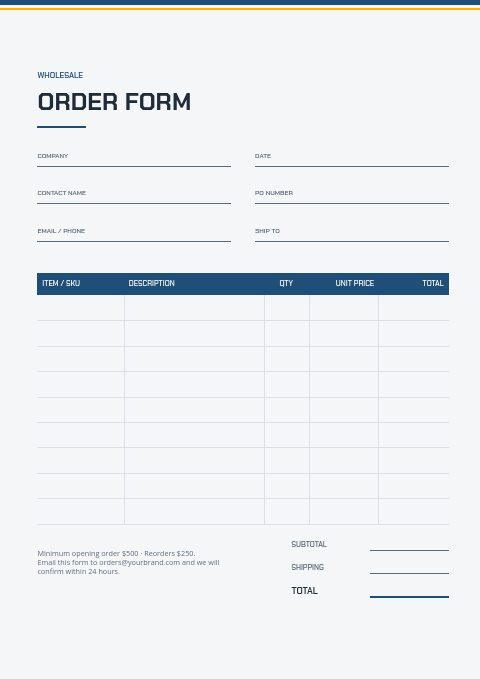
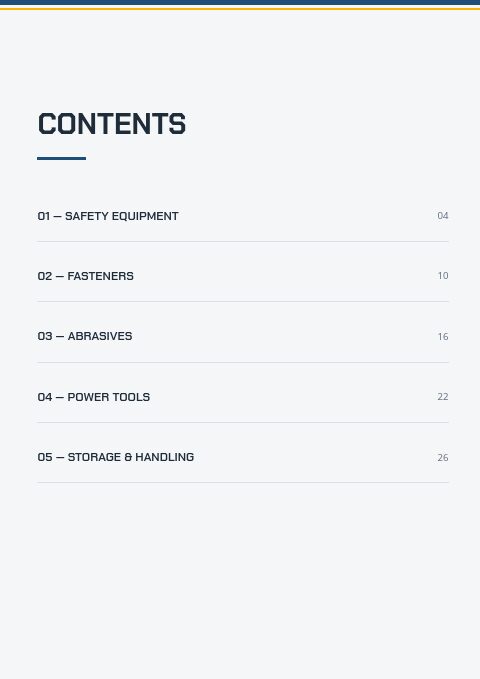
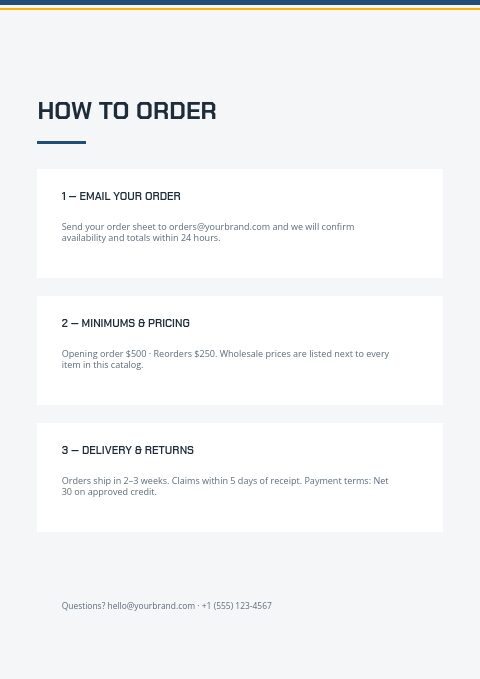
Everything around the products is ready. Contents lists Safety Equipment, Fasteners, Abrasives, Power Tools and Storage & Handling, the how-to-order page states minimums and Net 30 terms, and the order form collects company, PO number, ship-to and line items. Bring products in from Shopify or a CSV, lay them out in grids or line-sheet rows, then print the catalog or share a wholesale flipbook that takes orders.
Best for
- Industrial distributors needing a branded frame around a large SKU list
- PPE and safety suppliers selling to plants and contractors on account
- Fastener and abrasives wholesalers that still receive paper order forms
- Power tool dealers producing a yearly trade catalog in their own colors
- Purchasing teams that want a printable order sheet with a PO field
Pages worth a closer look
Order form built around the PO
A PO number field sits beside company, date and contact, and a steel-blue header row leads into the line items for SKU, description, quantity and price. The footer restates opening and reorder minimums so buyers check them before sending.
Contents for five industrial ranges
Safety Equipment, Fasteners, Abrasives, Power Tools and Storage & Handling come pre-set with page numbers. Swap in your own ranges, such as bearings or lifting gear, and edit the page references to match.
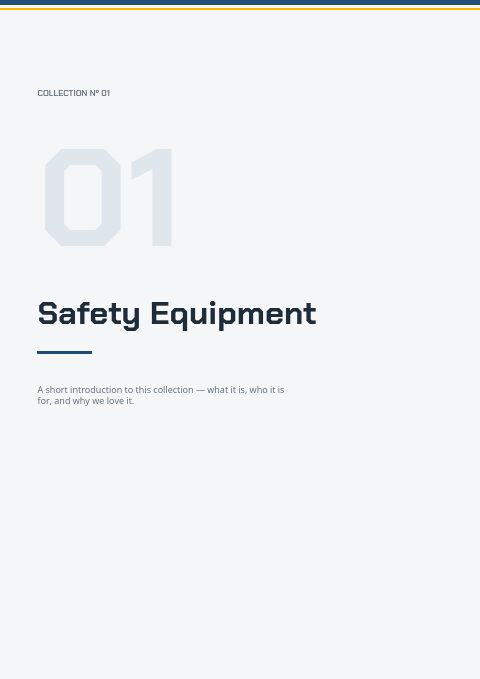
Numbered section divider
A large pale-gray 01, a collection label and the section name, Safety Equipment in the sample, with room for a short introduction. Place one before each range so buyers can open a thick printed catalog straight at fasteners or abrasives.
Back page with contacts
A thank-you line, then email, phone, website and social handle in a clean stack. Add your after-hours or breakdown number here, so maintenance teams can find it quickly when a line is down.
Tips for an industrial order form buyers fill in correctly
Ask for the PO before anything else
Most plants cannot pay an invoice without a purchase order number, and accounts payable will hold it until one is matched. Make the PO field prominent, ask for a required-by date, and confirm both in your acknowledgment email so the paperwork lines up.
Print pack quantities next to the price
Industrial lines are sold in boxes, kegs, reels and cases. If the form asks for a quantity without a unit, buyers will guess. Put the pack size in the description column and the product grid, and say whether broken packs are allowed or carry a surcharge.
Group PPE by size and protection level
Gloves, glasses, hearing protection and footwear are reordered by size and protection level. List sizes in a variant table, describe the protection level in plain words, and keep one SKU pattern across sizes, so a safety manager can reorder for a whole crew on one form.
Give buyers a breakdown route
When equipment fails, buyers need to know how to order outside normal hours. Print an emergency phone line and the cut-off for next-day dispatch on the how-to-order page and the back cover, where a maintenance planner looks first.
From product list to finished catalog
Start with this set
Open Industrial Supplies in EasyCatalog, in the clean or the photo version, and recolor it with one of 12 palettes if you like.
Add your products
Import from Shopify in one click, or upload a CSV, connect WooCommerce or a product feed. Your products fill the product pages automatically.
Download or share
Export a print-ready PDF (up to 300 DPI, CMYK and bleed for print shops) or share an online flipbook with a built-in order form.
Questions about this template
Which pages are in the industrial supply order form set?
A cover, welcome letter, contents with five industrial ranges, a how-to-order page covering minimums, delivery and Net 30 terms, a numbered section divider, the wholesale order form and a back page. An alternate version gives the cover a plant-photo collage, runs a band of two photos across the divider and sets the back page on one full-bleed photo, and the catalog can grow to 500 pages with your products.
Can buyers place orders online instead of emailing the form?
Yes. Publish the catalog as a wholesale flipbook and buyers fill in its built-in order form, which supports a minimum order value, three price tiers and minimum, multiple or maximum quantities. You receive each order by email and in the app, while the printed form still serves buyers who prefer paper.
What information should an industrial order form collect?
Company, buyer name, PO number, delivery address and required-by date, then SKU, description, pack size, quantity and agreed price for each line. Add a field for the cost center or plant area if your customers need it, and leave space for instructions such as certificates or cut lengths.
How often should an industrial supplier refresh its catalog?
A yearly printed edition is common, with prices updated when supplier costs change. Steel and copper-based items move fastest. Treat the flipbook as the live version, put a validity date on the terms page, and reprint only when ranges change substantially.
More templates like this



Start your Industrial Supplies catalog
Pick this template, add your products and download a print-ready PDF or share an online flipbook. Free plan available, no card needed.