Hardware order form template in safety orange and workshop steel
A hardware and tools catalog frame that opens with a safety-orange cover and closes with a wholesale order form and back page; a second version adds tool photos to the cover, divider and back.
Free plan available — all templates are included on every plan. Already have an account? Open it in Templates.



All 7 pages, in two versions
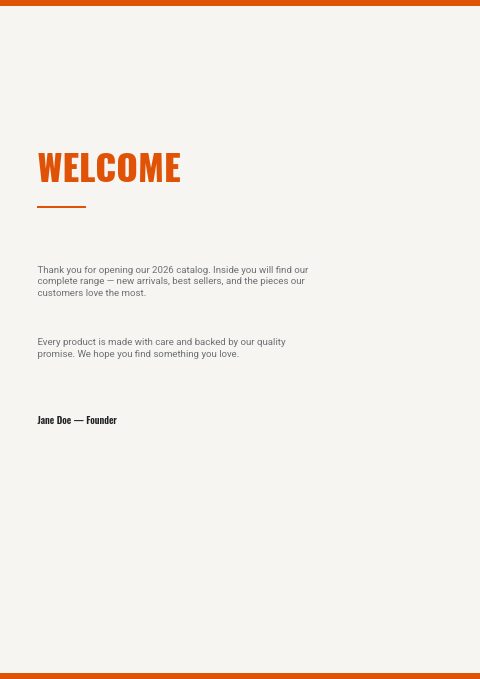
Cover, welcome letter, contents, how-to-order terms, a section divider, a wholesale order form and a back cover. Your product pages are added between them in the same fonts and colors.




About the Hardware & Tools template
This hardware order form template sits in a set that looks like a workshop. A full-height safety-orange band runs down the cover, divider and back page, and Oswald Heavy capitals set HARDWARE in near-black with & TOOLS in orange on warm off-white. Roboto text and thin orange rules keep the welcome, contents and terms clean. The photo-collage version puts hammers, wrenches and screwdrivers on its cover, divider and back page.
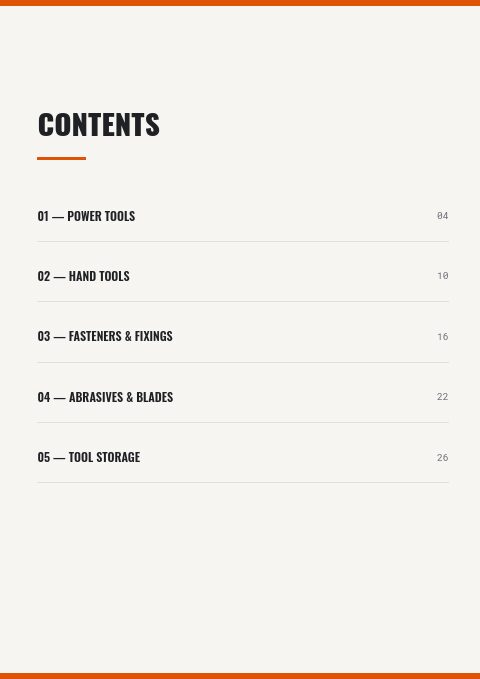
Use it as the wrapper for a trade catalog dealers order from. Contents is pre-filled with Power Tools, Hand Tools, Fasteners & Fixings, Abrasives & Blades and Tool Storage, and the terms page covers email orders, $500 opening and $250 reorder minimums and Net 30. Products come in from Shopify, WooCommerce or a CSV and fill grid pages that can show photo, SKU, price and barcode, ready for print or a wholesale flipbook.
Best for
- Tool distributors selling power and hand tools to hardware stores
- Fixings and fastener suppliers taking repeat orders from trade counters
- Abrasives and blade brands that want a clean catalog in their own colors
- Hardware stores producing a contractor price book with an order sheet
- Small wholesalers moving from spreadsheet price lists to a designed catalog
Pages worth a closer look
Wholesale order form
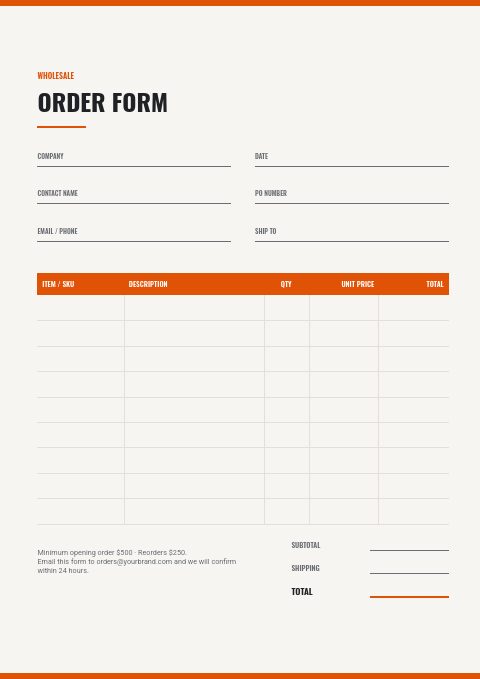
An orange header row runs over item, description, quantity, unit price and total, so dealers can copy a restock list straight from their bin labels. Print it, fill it in and email it back; the footer repeats your minimums.
Power Tools section divider
A big pale-gray 01 beside the orange band introduces Power Tools with a line of copy about the range. Add one before each section, from hand tools to tool storage, so every range opens the same way.
How to order in three steps
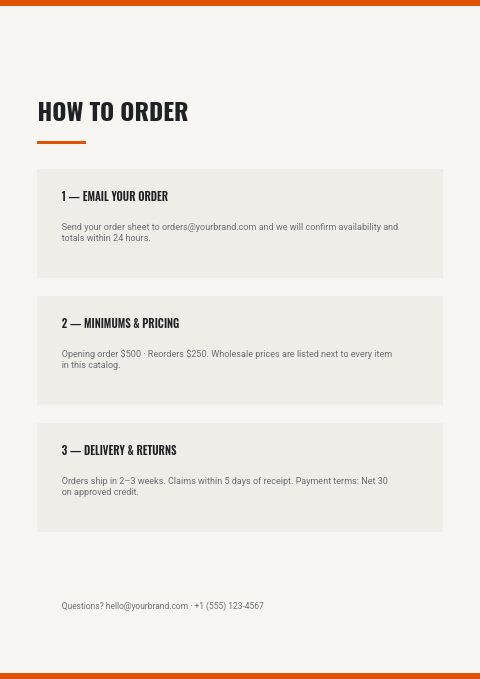
Email your order, minimums and pricing, delivery and returns: three panels of placeholder terms to replace with your own lead time, claims window and payment terms. A footer line gives the phone and email for questions.
Thank-you back page
Thank you in bold orange Oswald, then email, phone and website beside the orange band. Use it for trade desk hours, a dealer portal address and the sales rep who covers each territory.
Tips for a hardware and tools order form dealers trust
Use one SKU format everywhere
Dealers reorder from shelf labels, so the SKU on the order form should match the box and the bin. Keep a fixed length and a prefix per category, such as FS for fasteners, and print it in the product grid exactly as it appears on packaging.
List voltage and battery platform for power tools
Cordless tools are bought by battery platform. Say whether a tool is bare or kitted, its voltage, the batteries and charger included, and which accessories fit. A variant table keeps kit options together instead of scattering them across pages.
Separate consumables from durables
Abrasives, blades and bits are reordered monthly; tools are bought once a season. Put consumables in compact line-sheet rows with pack quantities so they are fast to reorder, and give durable tools larger grid cells with a photo and key specs.
Put freight rules on the terms page
Hardware orders are heavy and bulky. State the free-freight threshold, the cut-off for same-day shipping and how long backorders are held. Dealers who know the freight rules build bigger orders to reach the threshold instead of splitting them across the month.
From product list to finished catalog
Start with this set
Open Hardware & Tools in EasyCatalog, in the clean or the photo version, and recolor it with one of 12 palettes if you like.
Add your products
Import from Shopify in one click, or upload a CSV, connect WooCommerce or a product feed. Your products fill the product pages automatically.
Download or share
Export a print-ready PDF (up to 300 DPI, CMYK and bleed for print shops) or share an online flipbook with a built-in order form.
Questions about this template
What is in the hardware order form template set?
Seven pages: cover, welcome note, contents for five tool and hardware sections, how-to-order terms, a numbered divider, the wholesale order form and a thank-you back page. A second version puts a tool collage on the cover and a band of tool photos at the top of the divider, and sets the back page over a dark workbench photo. Product pages come from the editor's grids, from 2 × 2 up to 4 × 5, or line-sheet rows.
Can I print the order form for the trade counter?
Yes. Download the catalog as a print-ready PDF in A4, Letter or A5, up to 300 DPI, with an optional CMYK setting and 3 mm or 5 mm bleed with crop marks. Keep spare copies of the order form page at the counter for walk-in and phone orders.
What should a tool supplier's order form include?
Account name and number, contact, PO number, ship-to address and requested ship date, then SKU, description, pack size, quantity, unit price and line total. Add a note for backorder preference, ship partial or hold, because hardware dealers rarely want a whole order to wait for one missing line.
When should hardware suppliers send their annual catalog?
Late in the year or in January, before dealers plan spring buying. Pair it with a dealer promotion in the first quarter and a mid-year update for new lines. Between printed editions, update the online flipbook as prices change so dealers always order from current figures.
More templates like this


Start your Hardware & Tools catalog
Pick this template, add your products and download a print-ready PDF or share an online flipbook. Free plan available, no card needed.