Coming soon: a pre-order catalog template for trade previews
A 15-page trade preview catalog in black and safety orange for brands taking reservations before a new drop. A classified-file teaser cover, an allocation sheet and a drop countdown help stores commit early.
Free plan available — all templates are included on every plan. Already have an account? Open it in Templates.


All 15 designed pages
Covers, promotion and product-story pages built for this campaign. Use the ones you need; your product pages are added in the same style.




Product pages that fill themselves
Import your products and they take this layout automatically — shown here with sample products. Switch the grid any time, from 2 × 2 to 4 × 5 or a one-column line sheet.

About the Coming Soon template
This pre-order catalog template dresses a new collection up as a classified file. COMING sits above a neon-lit doorway photo and SOON below it in safety orange, beside redacted product fields, a file number, a classified-until date and a loading bar showing how many allocations are already reserved. Black pages and warm off-white type carry Rajdhani headlines, Karla text and an Inconsolata monospace, while trail boots, packs, rope and tents at dusk fill the inside pages.
Use it to show trade partners a drop before anyone else and turn their interest into firm reservations. Import the new styles and each lands on a dark product page with photo, SKU, name and trade price; add a variant table for sizes and the case pack in the description. Share the wholesale flipbook so buyers reserve on the page, with case-pack multiples and a maximum quantity on scarce lines, then print the PDF for showroom appointments and sales meetings.
Best for
- Outdoor, footwear and apparel brands previewing a seasonal drop to stores
- Limited runs where allocations are confirmed in order of arrival
- Pre-order programs with no deposit and a firm reservation deadline
- Brands that ship stock under embargo ahead of a public launch date
- Teasing a new collection to key accounts before it goes public
Pages worth a closer look
Classified-file teaser cover
A file number, a classified-until date, a redacted product name and an orange progress bar showing 72% of allocations reserved turn a plain announcement into a tease. Change the categories and date and the cover works for any upcoming collection.
Allocation sheet for the whole drop
Five styles are listed with SKU, case pack, MSRP and trade price, with a note that reservation prices exclude tax and allocations are held until the deadline. Buyers can plan the order from one table, then check details on the product pages.
Early favorites ranked by reservations
Styles are ranked by how much of their allocation is already reserved, from 96% down, each with a photo, a material line, an orange progress bar and the trade price. It shows buyers which styles will go first without any pushy sales copy.
Drop countdown with embargo dates
Four dates run from the trade preview on Feb 24 through reservations closing on Mar 20 and stock shipping under embargo on Mar 27 to drop day on Apr 2. Stores can schedule receiving, staff and window displays around them.
How to run a pre-order catalog for a new drop
Tease the public, brief the buyer
A mysterious cover gets attention, but store buyers still need facts before they commit: materials, size run, weight, case pack, trade price and MSRP. Keep the mystery for consumer channels and put the full details on the product pages of the trade version you send to accounts.
Show how sizes are packed
For footwear and apparel, say how sizes come in each case, such as six pairs per size or a fixed size curve, and which sizes are available. Buyers who know their store's best-selling sizes can order exactly what they need, and you avoid chasing them with questions after the deadline.
Reward early commitment
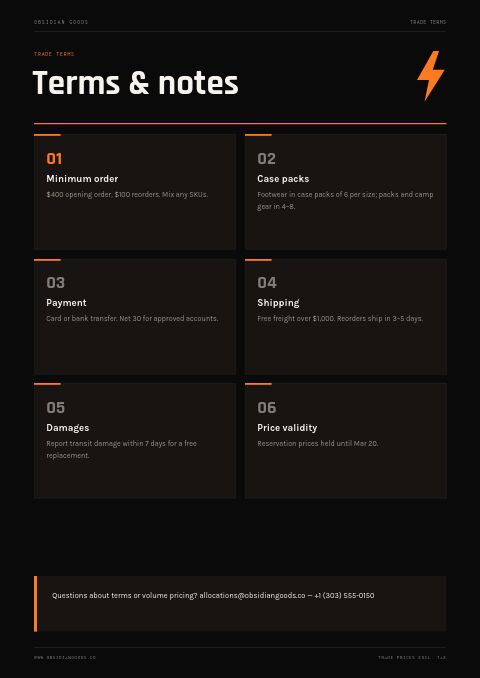
Outdoor and footwear brands often reward early pre-orders with better terms, such as an extra discount, free freight or extended payment dates. Tie the reward to the reservation deadline and say whether a deposit is required. No deposit removes one of the biggest reasons a buyer waits.
Explain how allocation works
If quantities are limited, state the rule: first come, first served, or a share based on past orders. Confirm each reservation in writing within a set time and say whether lines will be restocked this season. Clear rules keep accounts loyal when a popular style sells out early.
Protect the drop date
If partners receive stock before the public drop, print the embargo date in the catalog, on the order confirmation and on the cartons. One store selling early can undercut everyone else's launch, so explain what happens if the date is broken.
From product list to finished catalog
Pick this template
Open Coming Soon in EasyCatalog and choose the cover and the pages you want — every page is optional and editable.
Add your products
Import from Shopify in one click, or upload a CSV, connect WooCommerce or a product feed. Your products fill the product pages automatically.
Download or share
Export a print-ready PDF (up to 300 DPI, CMYK and bleed for print shops) or share an online flipbook with a built-in order form.
Questions about this template
Can buyers reserve stock from this coming soon catalog before it ships?
Yes. Share it as a wholesale flipbook and buyers place reservations through the built-in order form. Set multiples to match your case packs, a maximum quantity on limited styles and a minimum order value for opening orders. Reservations arrive by email and in the app, so you can confirm allocations in the order they come in.
Is the teaser cover only for outdoor gear?
No. The categories, file number, dates and progress figure are editable text, so the cover suits apparel, homeware, beauty or any upcoming collection. You can replace any template photo with your own using Replace photo, pick from free stock photos or change the orange accent to your brand color.
How far ahead do outdoor and footwear brands take pre-orders?
Often a full season ahead. Many brands show spring lines to stores the previous summer or fall and take pre-orders months before delivery, then handle reorders in season. A smaller drop like the one in this template can run on a shorter cycle of about five weeks from preview to launch, if production allows.
Should a pre-order catalog ask for a deposit?
It depends on the risk. Deposits secure commitment for custom or very limited runs, but they slow decisions, and many brands take reservations from established accounts without one. A middle path is no deposit for accounts with a payment history and a deposit for new ones. Whichever you choose, state it on the promo and terms pages.




Start your Coming Soon catalog
Pick this template, add your products and download a print-ready PDF or share an online flipbook. Free plan available, no card needed.