Hospitality catalog template for hotel amenity and linen suppliers
A seven-page catalog set in ivory and brushed brass for companies that supply hotels. It frames your amenities, linens and housekeeping lines with a contents page, ordering terms and a wholesale order form.
Free plan available — all templates are included on every plan. Already have an account? Open it in Templates.



All 7 pages, in two versions
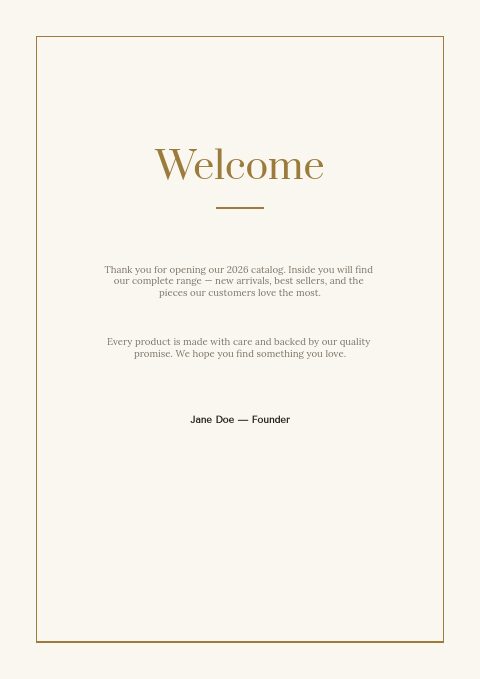
Cover, welcome letter, contents, how-to-order terms, a section divider, a wholesale order form and a back cover. Your product pages are added between them in the same fonts and colors.





About the Hotel Supplies template
Think of a quiet hotel lobby: this hospitality catalog template uses ivory pages inside a thin brushed-brass frame, Prata display type with Tenor Sans and Lora, and a single brass diamond as ornament. The set has seven pages: cover, welcome letter, contents, how to order, a section divider, a wholesale order form and a back page. A photo-collage version adds hotel room photos to the cover, divider and back page.
Product pages come from the editor's grids: 2×2 up to 4×5 per page, or one-column line-sheet rows that suit long amenity lists with SKUs and case prices. Pull lines from Shopify by collection or upload a CSV. If ivory and brass do not match your brand, switch to one of the 12 palettes. Send a print-ready PDF to purchasing teams, or a flipbook link with the order form built in.
Best for
- Amenity and toiletry suppliers selling to hotels, motels and B&Bs
- Housekeeping and cleaning distributors with a hospitality line
- Linen wholesalers who want a short, clean frame around their product grids
- Makers of lobby, reception and in-room accessories
- Suppliers quoting hotel groups that order for several properties
Pages worth a closer look
Wholesale order form with a PO field
Company, contact, date, PO number and ship-to fields sit above columns for item or SKU, description, quantity, unit price and total. Hotel purchasing runs on purchase orders, so the PO line saves a round of emails before an order is approved.
Contents organized by hotel department
Five sections follow the way a property buys: guest amenities, bed and bath linens, housekeeping, in-room essentials, and lobby and reception. Rename them or change the page numbers as your range grows.
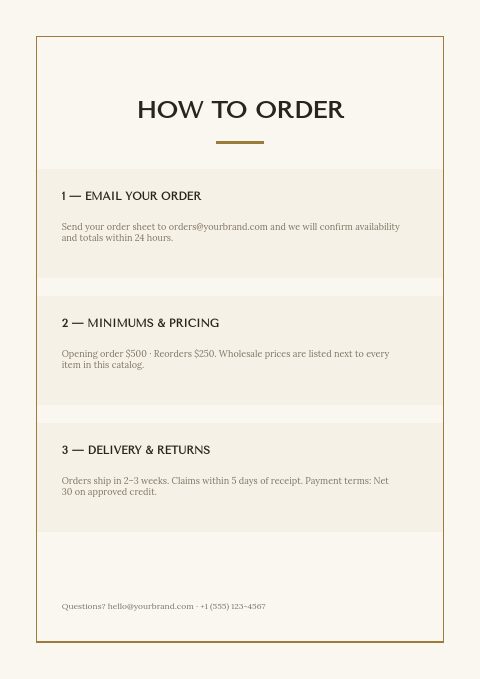
How-to-order page with minimums and terms
Three tinted blocks cover emailing an order, opening and reorder minimums, delivery times, claims and Net 30 payment. Edit the sample figures to your own policy; the minimum order value can also be enforced in the wholesale flipbook.
Brass-framed cover or hotel photo collage
The vector cover is an ivory title page with a fine brass frame, your brand, the edition year and a contact line. The photo-collage twin puts three hotel room photos above the title, ready to swap for your own.
What hotel buyers look for in a supplier catalog
Make room for purchase orders
Hotel groups and management companies rarely buy without a purchase order. Keep the PO field on your order form, ask for the property name and delivery address separately, and confirm every order in writing. A buyer ordering for five properties needs each order to match an approved PO, or the invoice stalls in accounts payable.
Publish delivery days and receiving hours
Hotels receive goods around housekeeping shifts and guest arrivals, and many have a narrow receiving window at the loading dock. Say which days you deliver, what time trucks arrive and whether cartons are labeled by department. A clear delivery note on the terms page spares the property a truck arriving in the middle of check-in.
Group products by department
Housekeeping, front office and food and beverage teams each buy their own items, often from separate budgets. Organize sections so each department finds its lines quickly, and place natural add-ons together, such as laundry bags beside robes or key-card sleeves beside lobby stationery.
Offer samples and spec matching
Properties rarely switch amenity or linen suppliers without handling the product first. State what samples you send, whether they are free or credited against a first order, and how fast they ship. For branded hotels, offer to match an existing spec sheet so the switch changes nothing a guest would notice.
Send next year's prices before budgets close
Many hotels set their operating budgets for the coming year in the fall. A catalog that arrives before budgets are final, showing next year's prices and any planned increases, lets a property plan its supply spend around you instead of around last year's invoices.
From product list to finished catalog
Start with this set
Open Hotel Supplies in EasyCatalog, in the clean or the photo version, and recolor it with one of 12 palettes if you like.
Add your products
Import from Shopify in one click, or upload a CSV, connect WooCommerce or a product feed. Your products fill the product pages automatically.
Download or share
Export a print-ready PDF (up to 300 DPI, CMYK and bleed for print shops) or share an online flipbook with a built-in order form.
Questions about this template
What is the difference between the vector and photo-collage versions?
Both versions share the same seven pages and sample text. The vector version keeps every page in ivory with a thin brass frame; the photo-collage version adds hotel room photography to the cover, the section divider and the back page. Swap any photo with Replace photo or a free stock image, and recolor either version with one of 12 palettes.
Where do my products go in this seven-page set?
Product pages are added from the editor's grids and usually sit after each section divider. Bring products in from Shopify, a CSV or TSV file, WooCommerce, a Google Shopping or Meta product feed, or type them in. Pick 2×2 to 4×5 grids or line-sheet rows, show fields such as SKU, price, barcode or variants, and style one card to update every card.
Which details do hotel buyers expect on every supplier listing?
Name, SKU, pack size, price per unit and per case, minimum order and lead time, for every item. Around the products they look for delivery terms, a sample policy, payment terms and a named contact. Branded hotels also need to see that items meet their brand standards, so note approved specs where you have them. A contents page by department helps each team find its lines.
How do minimum orders usually work for hotel suppliers?
Many suppliers set a higher minimum on the first order and a lower one for reorders, as this set's sample terms do with $500 to open and $250 after that. Some waive minimums for standing orders. Whatever you choose, print it on the terms page and set the same minimum order value in the flipbook, so buyers see it before they submit.


Start your Hotel Supplies catalog
Pick this template, add your products and download a print-ready PDF or share an online flipbook. Free plan available, no card needed.