HVAC order form template with a cool cyan catalog set
A cool cyan frame for an HVAC supplies catalog, from cover and contents to ordering terms and a wholesale order form, in a clean vector look, with an alternate photo version of the cover, divider and back page.
Free plan available — all templates are included on every plan. Already have an account? Open it in Templates.


All 7 pages, in two versions
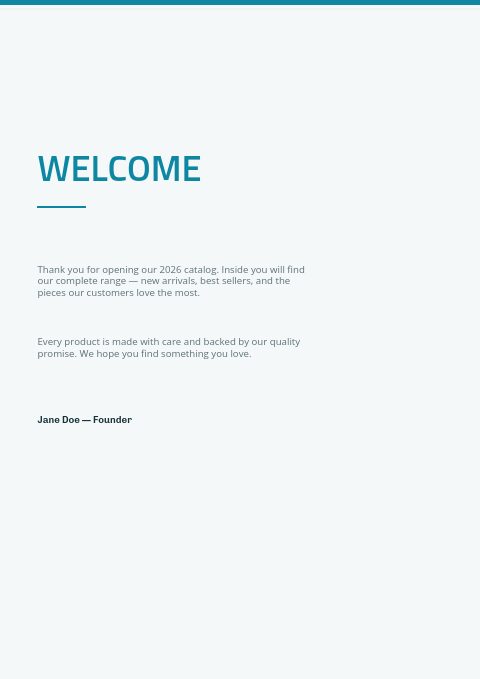
Cover, welcome letter, contents, how-to-order terms, a section divider, a wholesale order form and a back cover. Your product pages are added between them in the same fonts and colors.





About the HVAC Supplies template
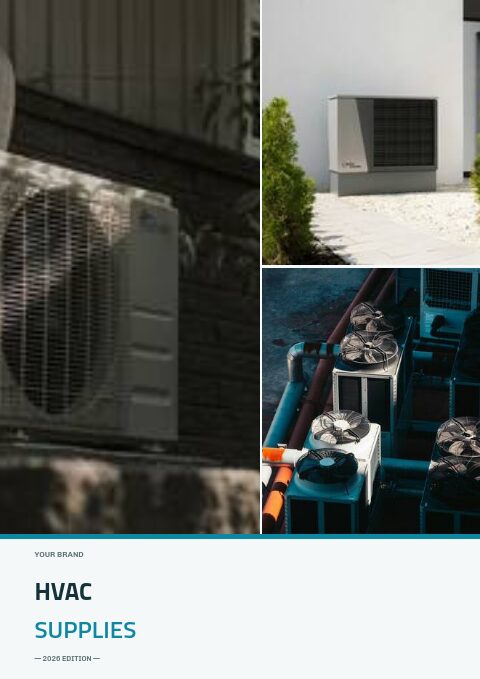
This HVAC order form template comes in a cool, airy set. Thin cyan rules edge the pages, Titillium Web sets HVAC in deep teal-navy over SUPPLIES in cyan, and Chivo and Open Sans keep headings and terms crisp on a pale ice-blue page. The photo-collage version shows outdoor condensing units, a heat pump beside a white wall and rooftop condenser fans on its cover, divider and back page.
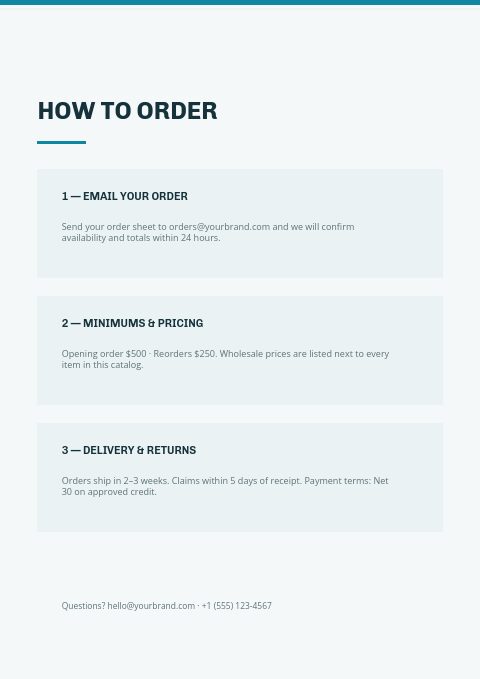
Five HVAC ranges are already in place: Heating Systems, Air Conditioning, Ventilation & Fans, Ductwork & Fittings and Thermostats. The terms page lists email ordering, minimums, delivery and Net 30, and the order form collects PO numbers and line items from contractors who still order on paper. Import parts from Shopify or a CSV, or type a short list in by hand, and they fill grid pages ready to print or share as a wholesale flipbook.
Best for
- HVAC parts distributors taking contractor orders by email and at will-call
- Ductwork and ventilation suppliers sending a clean price catalog to fitters
- Thermostat and controls wholesalers listing compatibility next to price
- Heating and cooling stores that want a printable order sheet
Pages worth a closer look
Cyan order form
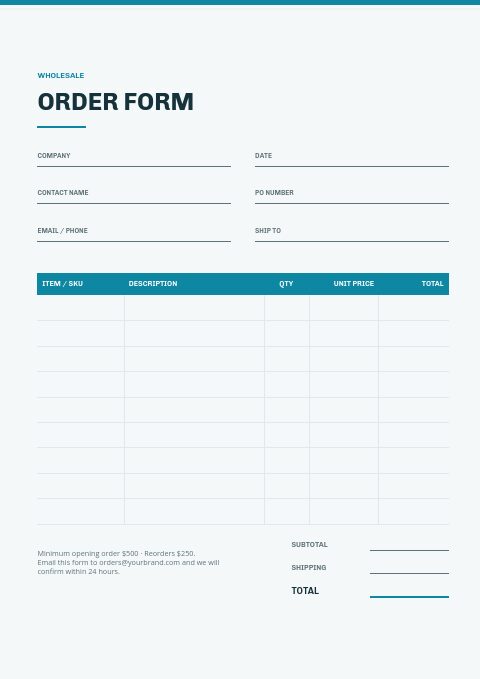
A cyan-headed table for item, description, quantity, unit price and total sits under the account and delivery fields. Rename the item column to model number when contractors order equipment by model rather than by SKU.
Contents for five HVAC ranges
Heating Systems, Air Conditioning, Ventilation & Fans, Ductwork & Fittings and Thermostats, each with a page number. Add a section for filters or refrigerant parts if those drive your repeat orders.
Heating Systems divider
Heating Systems opens with an outsized pale 01 and a cyan rule, leaving room for a two-line introduction. The photo version adds outdoor units and condenser fans across the top of the page.
Thank-you back page
The closing page thanks the reader and lists email, phone and website. It is the natural home for will-call hours and a winter emergency parts number, the details contractors hunt for when a system is down.
Tips for an HVAC order form contractors fill in without calling
Ask for model and serial on parts orders
Replacement parts depend on the exact unit. Add a field or note for the equipment model and serial number, so the counter can confirm the right blower motor, control board or capacitor before the order ships.
Sort ductwork by size and gauge
Duct, fittings and registers are ordered by round diameter or rectangular size, gauge and length. Group them by size on grid pages and give each size its own SKU, so a fitter can copy a takeoff straight onto the order form.
Show thermostat compatibility
Thermostats are bought by system type: single-stage, multi-stage or heat pump, and whether a common wire is needed. Print compatibility on each listing, with the number of heating and cooling stages supported, to cut returns and calls from installers on site.
Put lead times on seasonal equipment
Air conditioners and heat pumps can sell out at the start of the first heat wave. State stock levels or typical lead times for equipment on the terms page, and invite contractors to pre-book units for the season.
From product list to finished catalog
Start with this set
Open HVAC Supplies in EasyCatalog, in the clean or the photo version, and recolor it with one of 12 palettes if you like.
Add your products
Import from Shopify in one click, or upload a CSV, connect WooCommerce or a product feed. Your products fill the product pages automatically.
Download or share
Export a print-ready PDF (up to 300 DPI, CMYK and bleed for print shops) or share an online flipbook with a built-in order form.
Questions about this template
What is in the HVAC order form template set?
Seven pages: cover, welcome letter, contents for five HVAC ranges, a how-to-order page with minimums and Net 30 terms, a section divider, the wholesale order form and a back page. The alternate photo-collage version changes the cover, divider and back page. Product pages come from the editor's grids, styled once for the whole catalog.
Is the HVAC order form template free to use?
It is. The Free plan costs $0, needs no card and opens this set along with every other template. Free limits catalogs, not templates: a Shopify store can build one grid-editor catalog and one Basic-editor catalog with a small watermark, while a seller without Shopify can build one watermarked catalog capped at five pages. Paid plans begin at $19.99 per month.
What should an HVAC parts order form include?
Account and contact details, PO or job number, delivery or will-call pickup and a required date, then SKU or model, description, quantity and price. Add a line for the equipment model and serial when ordering replacement parts, and a box for refrigerant cylinder deposits if you charge them.
How many products should fit on an HVAC catalog page?
Equipment needs room for specs, so one to four units per page in a 2 × 2 grid works well. Small parts such as registers, fittings and filters fit 9 to 20 per page in a 3 × 3 to 4 × 5 grid. Use line-sheet rows for long lists of sizes.
More templates like this


Start your HVAC Supplies catalog
Pick this template, add your products and download a print-ready PDF or share an online flipbook. Free plan available, no card needed.