Custom order form template for personalized gifts and apparel
A 7-page wholesale set for makers of engraved gifts, custom apparel, photo gifts and drinkware who sell to shops and corporate buyers. A clear order form and terms page make custom orders easier to place and to check.
Free plan available — all templates are included on every plan. Already have an account? Open it in Templates.


All 7 pages, in two versions
Cover, welcome letter, contents, how-to-order terms, a section divider, a wholesale order form and a back cover. Your product pages are added between them in the same fonts and colors.




About the Personalized Products template
This custom order form template belongs to a 7-page wholesale set in soft lilac and warm violet. Comfortaa headings give it a friendly, rounded look, with Montserrat and Work Sans for text and pale lilac half-circles at the page edges. Around the order form you get a cover, a welcome letter, contents, a terms page, a section divider and a back page, and the cover, divider and back page also come in a photo version, with 12 palettes to recolor everything.
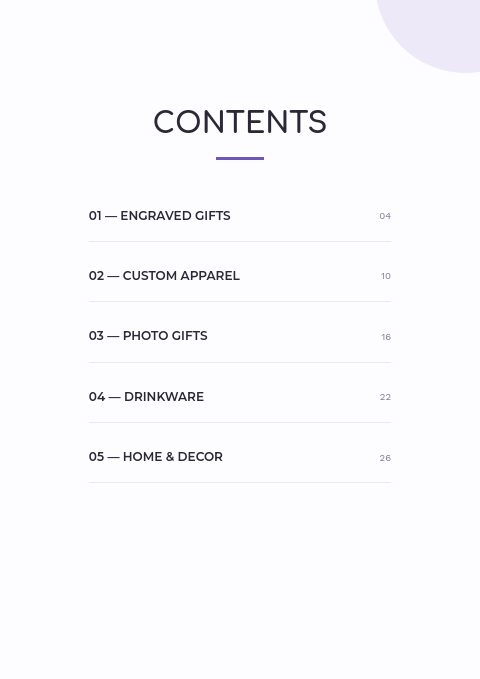
Sample sections list Engraved Gifts, Custom Apparel, Photo Gifts, Drinkware and Home & Decor. Add your blanks and finished pieces through the editor's grids with SKU, price and variant tables for sizes and colors. Corporate and shop buyers can order through a wholesale flipbook with volume price tiers, or print the form and write personalization details in the description column.
Best for
- Engraving and print shops selling personalized products to retailers
- Custom apparel makers taking bulk orders across sizes and colors
- Drinkware and photo gift brands with volume pricing
- Corporate gift suppliers quoting for teams, events and promotions
- Makers who need buyers to write names or logo notes on each order line
Pages worth a closer look
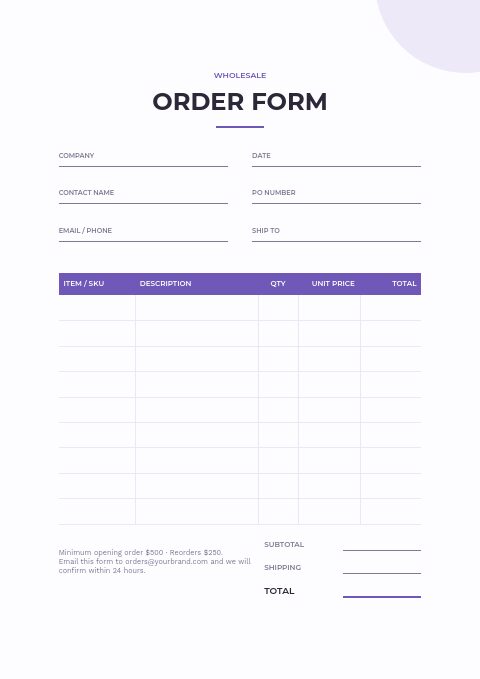
Order form with room for custom details
Every line pairs a SKU with a description, quantity, unit price and total, and the description is where buyers note the names, initials, colors or logo placement for that line. The header records the PO number and ship-to details for the account.
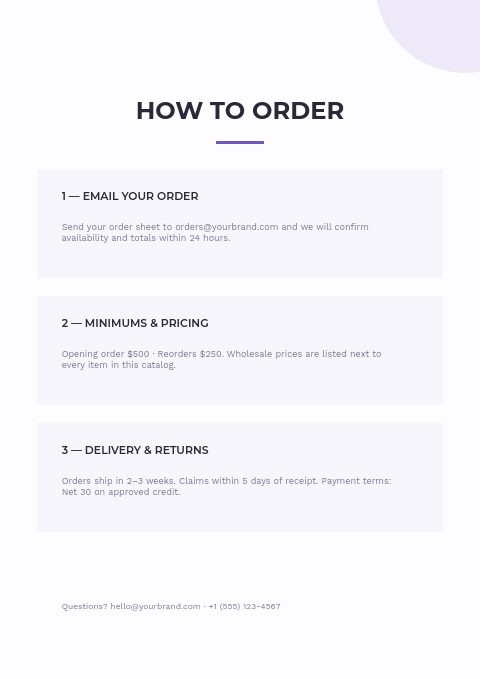
Ordering steps and minimums
Before a buyer reaches the order form, this page has set out how to order, the minimums for first orders and reorders, and the delivery, claims and payment rules. For custom work, add proof approval and production time so buyers know when the clock starts.
Section divider for each personalized range
Each collection opens with a number, a title and a short introduction. Use it to explain what can be personalized in that section and which methods you use, from engraving to printing.
How to take custom orders without mistakes
Collect personalization in writing
Orders taken by phone or chat are where names get misspelled. Ask buyers to write each name, date or logo reference against its line, confirm everything in a proof before production, and keep the approved proof with the order in case questions come up later.
Quote volume tiers up front
Custom products carry setup costs, so unit prices usually fall as quantities rise. Show tier breaks such as 12, 50 and 100 units, and set the same three tiers in your wholesale flipbook so online orders are priced correctly without a manual quote.
List sizes and colors as variants
For apparel and drinkware, show every size and color combination in a variant table rather than in a long description. Buyers can order across sizes in one pass, and you avoid follow-up emails asking which size or color was meant.
State the return policy for custom goods
Personalized items usually cannot be resold, so many makers accept returns only for defects or production errors. Put that rule on the terms page and the order form, together with how quickly buyers must report a problem after delivery.
From product list to finished catalog
Start with this set
Open Personalized Products in EasyCatalog, in the clean or the photo version, and recolor it with one of 12 palettes if you like.
Add your products
Import from Shopify in one click, or upload a CSV, connect WooCommerce or a product feed. Your products fill the product pages automatically.
Download or share
Export a print-ready PDF (up to 300 DPI, CMYK and bleed for print shops) or share an online flipbook with a built-in order form.
Questions about this template
Can buyers write personalization details on the custom order form?
Yes. The description column sits beside each SKU, so buyers can add a name, initials, a color or a logo note per line. For longer instructions, add a page to the set, since every page is editable and pages can be added or removed.
Does this template work for print on demand and custom apparel?
Yes. Its sample contents include custom apparel, photo gifts and drinkware, and product pages can show variant tables for sizes and colors. Rename the sections to match your blanks, and use the photo-collage cover, divider and back page if you want photography up front.
What should a custom order form include?
Customer and shipping details, a PO or reference number, item SKU and description, the exact personalization text, quantities by size or color, unit price and total, and an approval line. Add your proof process, lead time and the return rule for personalized goods.
How should custom products be priced for wholesale?
Start from the cost of the blank, add personalization time and setup, then set quantity breaks. Many sellers offer a lower unit price at higher volumes and charge a one-time setup fee for logos. Show the tiers clearly so buyers can pick the quantity that suits them.
More templates like this


Start your Personalized Products catalog
Pick this template, add your products and download a print-ready PDF or share an online flipbook. Free plan available, no card needed.