Auto parts order form template with a matching 7-page catalog set
A seven-page catalog set for parts sellers: bold cover, welcome, contents, ordering terms, divider, wholesale order form and back page, in a carbon-and-red vector look with a photo-collage alternative.
Free plan available — all templates are included on every plan. Already have an account? Open it in Templates.



All 7 pages, in two versions
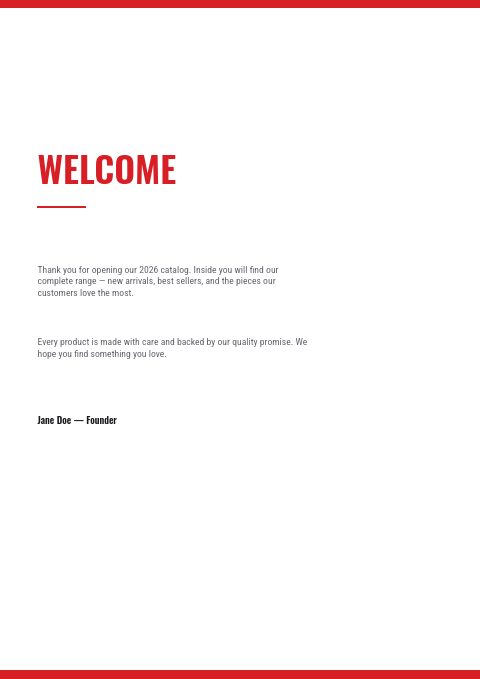
Cover, welcome letter, contents, how-to-order terms, a section divider, a wholesale order form and a back cover. Your product pages are added between them in the same fonts and colors.


About the Automotive Parts template
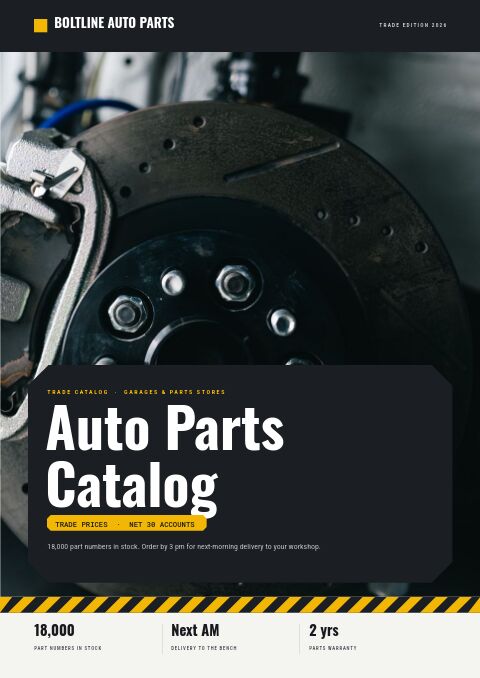
This auto parts order form template has a hard-edged carbon-and-red look: a charcoal cover, divider and back page around white inner pages, a racing-red accent and tall Oswald capitals, with Roboto Condensed for the details. The cover stacks AUTO PARTS in white and red, and the contents page is split into engine and filters, brakes, suspension, lighting and accessories. A second version gives the cover a photo collage, the divider a band of photos and the back page one full-bleed photo; the other four pages stay the same.
The order form carries the fields buyers expect: company, contact, PO number and ship-to, then rows for item or SKU, description, quantity, unit price and total, with your minimums printed underneath. Your parts come in from Shopify, a CSV file or a product feed and land on grid or line-sheet pages you build in the editor. Switch between 12 color palettes, print copies for the counter, or share a flipbook with an online order form.
Best for
- Parts wholesalers that still take many orders by email or phone from a printed sheet
- Small aftermarket brands that need a clean catalog shell around their own product grids
- Lighting and accessory sellers who want a bold, high-contrast look
- Distributors preparing a quick price list for a trade show or a new garage account
- Sellers who want a vector style and a photo-cover style of the same catalog
Pages worth a closer look
Wholesale order form, ready to fill in
Company, PO number, ship-to and contact fields sit above a ruled table for SKU, description, quantity, unit price and line totals, with subtotal and shipping lines and your opening and reorder minimums printed below.
How to order in three numbered steps
Email your order, minimums and pricing, delivery and returns: the sample copy covers confirmation within 24 hours, Net 30 on approved credit and a five-day claims window. Edit the numbers to match your own counter policy.
Contents split by vehicle system
Five numbered sections (engine and filters, brakes, suspension, lighting, accessories) with page numbers give buyers a quick way in. Rename them to match how your range is organized, then set the page numbers once your product pages are in place.
Bold cover with a photo-collage alternative
Stacked lettering in tall condensed capitals keeps the brand readable from across a parts counter. In the photo version, the cover carries a three-photo collage, the divider a band of photos and the back page one full-bleed photo, all replaceable with your own pictures.
How to set up an auto parts order form garages fill in correctly
Put the part number in the first column
Counter staff key orders by part number, so make it the first thing on every row and the first column on the order form. Add a short description and the position (front, rear, left, right) after it. A buyer who writes only a description leaves room for the wrong part to ship.
Print opening and reorder minimums on the form
State the opening order minimum, the reorder minimum and any free-freight threshold right under the totals, as the sample does with $500 and $250. Buyers then size their first order correctly, and you avoid a round of emails before you can confirm it.
Ask for the vehicle on larger orders
Leave space for the year range, model group or VIN next to brake, clutch and steering lines. Having it on the form lets your staff check fitment before picking, and it shows workshops that you take wrong-part returns seriously.
Keep the form readable in black and white
Many garages print order sheets on an office printer or photocopy them for the next order. Check that prices and part numbers stay legible in grayscale, keep the ruled lines dark enough to write on, and never place text over photos on the form itself.
From product list to finished catalog
Start with this set
Open Automotive Parts in EasyCatalog, in the clean or the photo version, and recolor it with one of 12 palettes if you like.
Add your products
Import from Shopify in one click, or upload a CSV, connect WooCommerce or a product feed. Your products fill the product pages automatically.
Download or share
Export a print-ready PDF (up to 300 DPI, CMYK and bleed for print shops) or share an online flipbook with a built-in order form.
Questions about this template
What is included in the auto parts classic template?
Seven pages: a cover, a welcome letter, contents, how-to-order terms, a collection divider, a wholesale order form and a back page. A second version puts a photo collage on the cover, a band of photos on the divider and one full-bleed photo on the back page. Product pages are not fixed in the set; you add them from the editor's grids, line-sheet rows or mosaic layouts and fill them with your parts.
Can I change the red and black colors of this order form template?
Yes. The set can be recolored with any of 12 palettes in one step, and you can still adjust single colors, fonts and text afterwards. If Oswald does not suit your brand, choose from 112 Google Fonts plus 7 system fonts. Photos in the photo-collage version can be swapped with Replace photo.
What should an auto parts wholesale order form include?
Buyer details (company, contact, PO number, ship-to address), then one row per line with part number, description, position or fitment, quantity, unit price and line total. Add subtotal, shipping, minimum order rules, payment terms and a return window for wrong parts. Using the same columns as your price list makes orders faster to key in.
Should auto parts catalogs be printed or sent digitally?
Most suppliers do both. A printed copy stays on the workshop bench and works without a signal, while a digital flipbook can be updated when prices change and lets accounts order online. EasyCatalog exports a print-ready PDF in A4, Letter or A5 with bleed and crop marks, and every flipbook link comes with a QR code.




Start your Automotive Parts catalog
Pick this template, add your products and download a print-ready PDF or share an online flipbook. Free plan available, no card needed.